The digital safety audit: A 5-point accessibilty checklist for your practice
A practical 5-point checklist to help healthcare practices quickly audit their websites and patient-facing tools for ADA and WCAG accessibility issues, ensuring every patient can access care online while reducing legal risk ahead of the 2027 HHS deadline.





Update: HHS’ Office for Civil Rights Extends Web and Mobile Accessibility Compliance Deadline
- Recipients with 15 or more employees will now have until May 11, 2027, to comply.
- Recipients with fewer than 15 employees will now have until May 10, 2028, to comply.
By now, you understand the "why": between the ADA Title III "catch-all" for private businesses and the looming May 2027 HHS deadline, digital accessibility has moved from a "nice-to-have" to a legal and clinical necessity.
But how do you actually measure your practice’s readiness? You don’t need to be a coder to protect your business. Use this 5-point checklist to audit your current patient-facing technology and identify where your digital "front door" might be locked.
1. The "big picture" inventory
Compliance isn't just about your homepage. It’s about the entire digital ecosystem a patient navigates.
- Audit Every Touchpoint: Make a list of your website, patient portals, telehealth apps, and even digital check-in kiosks in your lobby.
- Vetting Your Vendors: Many practices use third-party tools for online booking or bill pay. Ask these vendors for a VPAT (Voluntary Product Accessibility Template).
- The Liability Reality: Even if a third party hosts your "Book Now" button, your practice is legally liable for the barrier it creates.
If the vendor isn't compliant, you aren't compliant.
2. Navigation & the "keyboard test"
Many patients with motor disabilities or tremors cannot use a traditional mouse. They rely on "switch devices" or the "Tab" key to jump through a site.
- No Mouse Needed: Try it yourself. Can you fill out a "New Patient" form and click "Submit" using only the Tab and Enter keys?
- Visual Landmarks: When tabbing, is there a clear visual "focus indicator" (usually a blue or black box) around the button you’ve selected? If a patient can't see where they are on the page, they can't use your services.
3. Visual & audio standards
In a medical context, clear communication is a safety issue.
- The Contrast Ratio: To meet WCAG 2.1 AA standards, text must have a contrast ratio of at least 4.5:1 against its background. If your brand colors are light teal on white, your visually impaired patients are likely struggling to read your office hours.
- Alt-Text for Images: Screen readers read the "backend" of your site. If a photo of your office doesn't have "Alternative Text" describing it, the screen reader will simply skip it or read a cryptic file name like "IMG_482.jpg."
- Captions: If you have patient education videos on your site, ensure they have accurate captions. Do not rely on "auto-captions," which frequently mangle complex medical terminology.
4. Error identification & logic
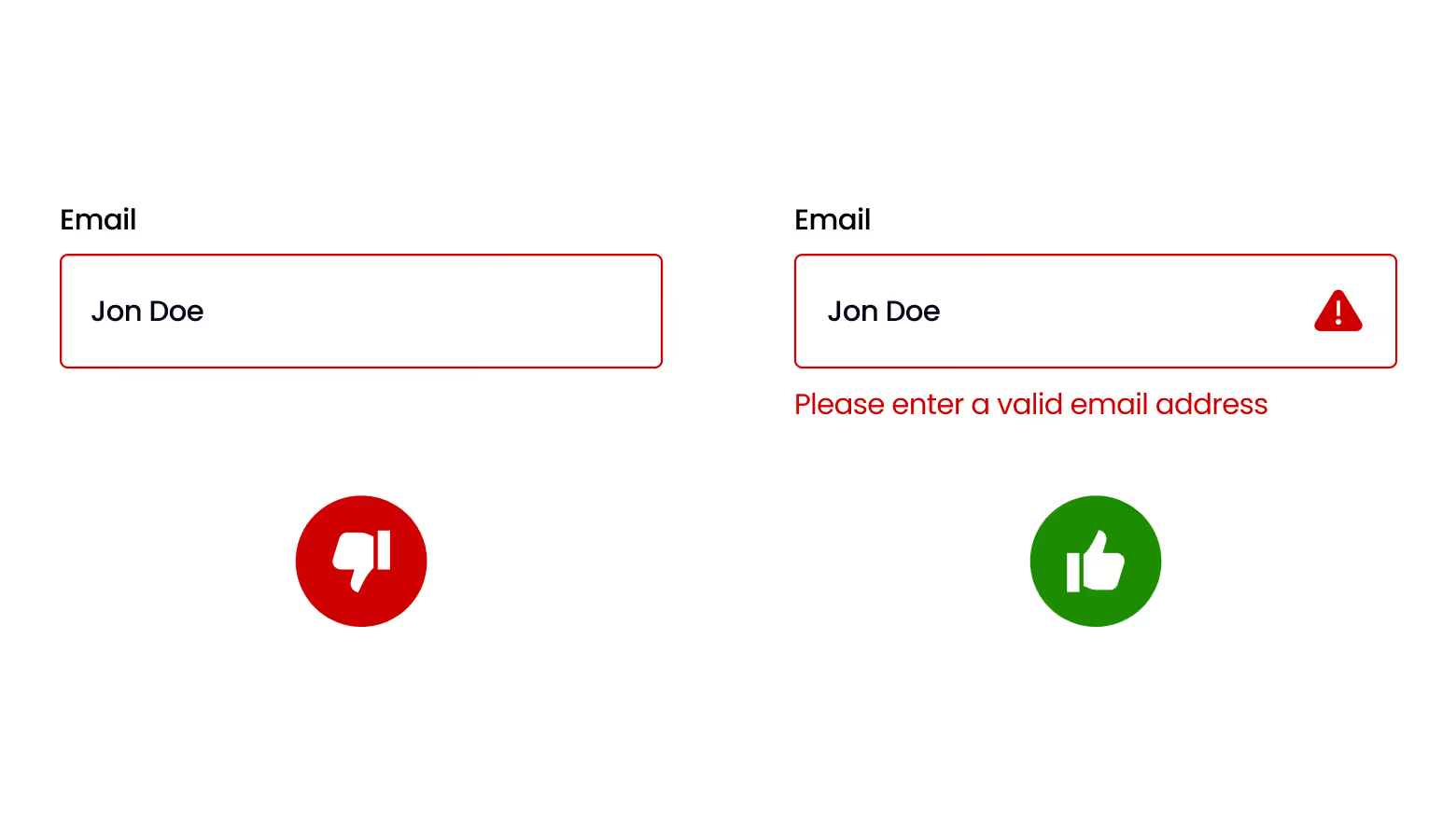
- Helping the User: If a patient misses a field on a form, does the site explain what is missing in plain text? Only highlighting a box in red is a failure; color-blind patients won't see the cue.
- Predictability: Do your menus and search bars stay in the same place on every page? For patients with cognitive disabilities, consistency is key to navigating your care.
5. Run a baseline scan
Before you call your web developer, get a "labs report" on your site’s health.
- The WAVE Tool: Use the WAVE Web Accessibility Evaluation Tool.
Simply paste your URL into the field. It will flag "Errors" (red icons) that need immediate attention. This provides a clear, objective starting point for any technical upgrades.
Conclusion: Accessibility as a standard of care
In the medical field, we often talk about "meeting the patient where they are."
In 2027, that location will be increasingly dominated by digital mobile devices. Ensuring your website is ADA-compliant and meets WCAG standards isn't just a hurdle of modern regulation; it is a baseline of professional respect.
By removing these digital barriers, you protect your practice from litigation and, more importantly, ensure that every member of your community, regardless of their physical or cognitive abilities, has equal access to the care you provide.